Your next move in event planning

No more spreadsheets for schedules, clickers for car parks and group chats for incidents. Moovent brings planning, accreditation, parking, field reports, live operations and post-event reporting into one system.

Operations teams that run their day on Moovent

Events deserve better than chaos

Event organizers face costly congestion, lost time, and poor attendee experience due to lack of real-time visibility across parking and traffic.

95%of attendees experience frustration before events, showing the experience begins long before entry.
1,000,000+visitors welcomed
50,000+parking spaces managed
8,700+staff coordinated
2,700+stations planned
6,000+avg. vehicles per event
10+large-scale events
1,000,000+visitors welcomed
50,000+parking spaces managed
8,700+staff coordinated
2,700+stations planned
6,000+avg. vehicles per event
10+large-scale events

10+ large-scale events. 1,000,000+ visitors welcomed. 50,000+ parking spaces managed. 8,700+ staff coordinated. 2,700+ stations planned. 6,000+ avg. vehicles per event.

Dashboard

See everything as it happens.

All features

Accreditation

The most advanced, yet simple, accreditation system from end to end.

All features

The Pulse

Preorder → Available soon

It works in any weather, at any hour, on any network.

A week on one charge, every car in and out, on your map within minutes.

Plug and playAnyone can fix it down and connect the tubes, and it starts counting.
Built toughIP67 certified against dust and water.
Seven days on one chargeCharge it once, then forget it until the event is over.
Li-ion 13.2 Ah
4G, Wi-Fi, BluetoothWhatever the connectivity on site, your data keeps coming in real time.
Real timeEvery car counted the moment it passes.
Accurate on any surfaceTarmac, gravel, grass or dirt: every car counted, wherever you set it down.
Proven in the fieldEvent after event, on setups no road counter was built for.
Best value on the marketThe most efficient counter, at the lowest cost.
All features

Technology

Every badge is signed, every scan is checked and every name is protected.

Read the full security page

Data processing agreement and list of sub-processors available on request.

All features

General Questions asked by customers.

No. Use only accreditation, or only parking, or everything together on the same account. We built it as one ecosystem by choice, not to force you into it. And moving over is meant to be quick: import your stations, agents and accreditation data rather than rebuild them.

The application is hosted in Frankfurt and the database in Paris, encrypted in transit. You own your data, we never sell or share it, and a data processing agreement is available on request.

ID verification is optional, and you choose whether to use it. Documents are deleted from our servers as soon as the accreditation is approved, and photos are used only for the badge. Registrants are anonymised twelve months after the event ends, a period you can adjust per event.

It depends on the size of your event. If you already have your stations and agents in a file, importing them takes a couple of days. Accreditation takes longer, since people have to be registered and approved, but partner portals do most of that work for you.

Scanning works offline, with access rights preloaded securely on the device. The Pulse devices in the car parks keep counting with no connection at all, recording the exact time of every car, and sync as soon as 4G, Wi-Fi or Bluetooth comes back, without losing any data.

Each partner gets their own portal to register and pre-validate their team. You approve in bulk with one click, edit anything wrong, or send it back for changes. For last-minute arrivals, express check-in takes about two minutes on site.

We know how stressful an event day is, and we’re not here to slow you down. Open a ticket from inside Moovent and you’ll usually get an answer within the hour, weekday or weekend.

You set up workspaces per organisation, per role or per person, and each member can build their own. Everyone sees only what matters to them. Moovent is available in English and French for now.

Launch is planned for spring 2027. Until then we’re running beta units at real events, supervised by our team, and we’re happy to bring them to yours. Contact us if that interests you.

One pass is one car in and out. A vehicle that arrives and leaves uses a single pass. Extra passes come in packs of a thousand at 0.30 € each.

Our friendly team is always here to help you with quick, clear, and reliable answers whenever needed.

Contact us
Every function, one system

From the first plan to the final report, every tool an operations team needs.

Plan

Before the gates open: the schedule, the site and the people, set up from what you already have.

Your file, not ours

The moment Monday. The schedule arrives as the Excel file the team has used for ten years.

Every event team keeps its schedules differently, and none of them look like a database. Moovent reads yours as it is: the odd time formats, the legend on another tab. No template to fill in: it works out the columns and asks you to confirm. You upload what you already have, and it works.

In practice Excel, CSV and KML files, up to 20 MB and 15 at a time. A time written 8h-16h, 08:00-16:00 or 0830-1645 is read the same way, and a legend kept on another sheet is read too. Moovent proposes how the columns map, you confirm it, and it remembers the mapping for the next file.

Nothing you can’t take back

The moment The wrong file went in, three thousand rows of it.

Wrong file, wrong week. One click puts the last import back the way it was, even thousands of rows. Setting up an event stops being something you’re afraid to touch.

In practice The undo covers the last schedule or station import, tested at 50 000 rows. The previous state is saved in the same transaction as the import, so nothing is lost in between.

Set it up once

The moment January. The next edition opens, same site, same gates.

Your stations, your zones, your badge types, your fields. Create next year’s event from this year’s and it starts already configured, instead of starting from an empty screen in January.

In practice A new event can be created from a previous one: map and stations, car parks, people without their shifts, zones, accreditation types, badge designs and the approval route come over. Shifts never do, the roster is always this year’s. Your field setup is also kept as the company default for every new event.

Everyone gets their shift, without you chasing

The moment Friday, 6 am. The first agents are getting dressed and wondering where to go.

Each agent gets a link thirty minutes before they start. If the SMS doesn’t land, the email does. Change the roster the night before and the links still work. Nobody calls you at 6am asking where they’re supposed to be.

In practice Switch it on per event. Every five minutes Moovent looks at who starts within 30 minutes and sends the link by SMS; after three undelivered SMS it switches to email. The link is personal and permanent: change the shift, the phone or the station, and the same link still opens the right page.

Accreditations

Who may come in, where and when, from the partner’s request to the badge at the gate.

Partners do their own work

The moment Forty partners, each with a list of names to send you, somehow.

You send each partner their portal. They register their own people, fill in the details, check them over. Last year’s crew comes back in two clicks. What used to be four hundred emails becomes a list waiting for your approval.

In practice Each partner gets its own portal and may only register under the accreditation types you allow it. A partner admin can bring back the people it registered at your previous events, 200 at a time; they complete what is missing and go through the review again. Their rows then wait in your queue.

Eight thousand requests, one afternoon

The moment The week before the event, the requests are all in and one person has to check them.

Nobody can check eight thousand accreditations one at a time, which is where most systems quietly fall apart. Moovent sorts the clean ones into one batch you approve in one action, and brings you one by one only those that genuinely need a person. What took a team a week takes one person an afternoon.

In practice A request is clean when the identity is verified or not required, the type is assigned and allowed, the photo passes the AI check and the name matches nothing on the blacklist, exact or close. Clean requests are approved in batches of 200. A person approves every one of them; Moovent approves nobody on its own.

Nobody slips through

The moment A name on the blacklist comes back inside a partner’s list.

Nobody approves themselves. A blacklisted name always comes back to you. If everyone who was meant to approve has left, the file opens to the other reviewers instead of sitting there forgotten. The rules hold even when the people change.

In practice An approver can never decide on a request they submitted themselves. A blacklist match, exact or close, always lands in the one-by-one queue, ranked first, and the invitation is held until a reviewer decides. When every named approver of a step has left the company, the step opens to any reviewer with access to the event.

Identity checks that keep no document

The moment The passport was checked. Now its scan sits on a hard drive.

Verify who someone is, then keep nothing you don’t need. The document goes as soon as the accreditation is approved. You get the certainty without inheriting a pile of ID scans you would now have to protect under the GDPR or the Swiss data protection act.

In practice The scan of the identity document is deleted the moment the accreditation is approved, and in any case after the event, or 30 days after upload when the event has no end date. What stays is a line saying the document was checked, and when. The badge photo stays until 30 days after the event, the record until it is anonymised.

Design your own badges

The moment The sponsor changed its logo and the badges go to print tomorrow.

A badge design usually means a back-and-forth with an agency, a quote, and a week of waiting to move a logo. Moovent has the editor built in: front, back, your fields wherever you want them. Save the layout and next year’s badges take a minute. One less supplier, one less invoice, one less thing waiting on someone else.

In practice The editor lays out the front and the back: photo, name and fields, zone block, legal text, background. A design belongs to an event; copy it into next year’s event, or create next year’s event from this one and the designs come along. A test print and a print guide are there for your printer.

The right access, to the day

The moment A Thursday badge at the gate on Saturday.

Zones, dates, catering credits, which partner may register what. Set it once and every badge carries exactly the access it should, no more. An old badge can never open a new door.

In practice A zone can be limited to days and hours of the week. A type has its own dates, by default the whole event. Catering and similar credits are counted per badge: unlimited, a total, or so many per day. At the gate a badge is checked for revocation, status and dates every time; a badge with a missing date is refused.

Rights, in layers

The moment Medical gets the paddock from Saturday only, and one doctor also needs the pit lane.

A zone is a door or an area. An accreditation type is a set of zones with its own dates and colour: Press, Medical, Security night. An access profile is the list of types a partner may register under. On top, one person can get one more zone without touching anything else. Stack them however your event works. Change a type, and everyone under it changes with it.

In practice Zones are one list per event. A type carries its zones, its colour and its dates. An access profile is a list of types; a partner gets a profile, plus or minus a type. One person can be granted or denied one zone on top. Change a type and every badge under it is recomputed, with a preview before you save; printed badges keep their print until they are regenerated.

The driver changed this morning

The moment 8 am. The team’s driver is not the person on the badge.

It always happens. From one screen, the old badge is revoked, the new one is issued, and the gates know within the minute.

In practice Replace is one action: the old badge is revoked and a new one issued together, or neither. Online scans check the revocation list live. Moovent phone scanners refresh their list every 60 seconds while open. Skidata barriers receive the revocation as soon as it is pushed.

Badges however they want them

The moment The printer wants a PDF, the press want it on their phone.

Print-ready for your printer, or straight to Apple or Google Wallet. Most events need both, so you do both.

In practice Printing: one PDF of A4 sheets, backs mirrored for double-sided printing, filtered by type, partner or ready state; above 300 badges it runs in the background. Wallet: Apple Wallet and Google Wallet passes, switched on per event and per accreditation type.

Run the day

What the control room sees and does while the event is on.

One screen, the whole site

The moment Three calls at once: a car park, a gate, a badge.

A full parking, a counter that went quiet, a badge that won’t scan. It all lands in the same feed, on the same map, and you act on it there. No switching between four tools to understand one situation.

In practice The live feed has four sources next to the event map: field reports, Pulse devices, TomTom traffic and car park capacity, with milestones at 60, 70, 80 and 90 %. Stations with nobody on post and the gates’ refusals have their own boards beside it.

Your screen, your job

The moment Hospitality does not care about car park B.

A manager and a head of hospitality don’t need to see the same thing. Build a workspace from the cards you actually use. A company default greets everyone who has not built their own; anyone can build their own on top. Nobody scrolls past six things that aren’t their problem to find the one that is.

In practice The wall is a grid of eight cards per page, up to ten pages, cycling every 10 to 60 seconds. Twenty-seven cards to pick from: occupancy, car park board, time to full, staffing, Pulse health, traffic, incidents, battery, entries against exits and more. Your layout is saved with your account.

Every agent becomes your eyes

The moment An agent at gate 4 sees a fence down, and has nobody to tell.

Your people already see the problems. They just have no way to tell you. A link on their phone, no app to install, and seconds later the control room knows. Reports arrive ranked, so the serious ones don’t sit behind the trivial ones.

In practice The report page opens from the SMS link, in the browser, with the eleven report types. Each type sets a floor: medical, fire and crowd are critical; accidents, fights, thefts and badge problems are warnings. An AI model reads the note and can only raise the level, never lower it, within 8 seconds. The control room receives reports over a live stream, sorted by severity then time.

They know you heard them

The moment Saturday afternoon. The reports have stopped coming.

An agent who reports something and hears nothing back stops reporting. In Moovent they hear back within the minute when someone picks it up. That’s how you keep people telling you things all weekend, not just on Friday.

In practice When a report goes from new to in progress, the reporter is told within 60 seconds: on the report page if it is still open on their phone, otherwise by SMS, with the time it was taken.

Know before it’s full

The moment The main car park is at 85 % and cars keep arriving.

Watch each parking fill on the map and set your own thresholds. Send drivers elsewhere while there’s still somewhere to send them, instead of after twenty minutes of circling.

In practice Each car park turns amber from the threshold you set, 80 % by default, and red when full. Up to six milestones per event, 60, 70, 80 and 90 % by default, each one a line in the feed. The wall suggests where to divert as soon as a car park passes 90 % and another is under 70 %.

The roads outside your gates

The moment The car park is half empty and nobody gets to it.

Your parking is fine and the approach road is blocked. Live traffic from TomTom on the same map as everything else, so you see the jam forming rather than hearing about it from the drivers stuck in it.

In practice TomTom traffic flow and incidents are drawn on the event map, refreshed every 5 minutes on screen, from data at most 15 minutes old.

Alerts people don’t mute

The moment Forty notifications an hour, and the one that mattered went unread.

Set what’s urgent by source and severity, with quiet hours. Everything urgent means nothing urgent, and a muted control room is worse than no alerts at all.

In practice Every user sets a reaction per source and per severity: silent, a counter, a notification, a sound, or the report opening by itself. Report types and single devices can be muted. Quiet hours, 02:00 to 06:00 by default, bring everything down to the counter.

Go back and look

The moment 16:40, and two teams tell two different stories.

Something happened at 16:40 and nobody agrees what. Scrub the map back and see what the control room saw: the reports, the occupancy and who was on shift, as they were at that minute.

In practice The rail goes back over the whole event, or the last 24, 12 or 6 hours. Reports are shown with the severity they had at that minute, car parks from their recorded occupancy, agents from the roster of that hour. Live positions are not kept, by design.

Review

What the event leaves behind: numbers you can read the next morning and defend the next year.

The morning meeting has its numbers

The moment Day two, 7 am, the briefing.

Day two begins the same way everywhere: what went wrong yesterday, what to expect today. Usually from memory, because nobody has time to build a report overnight. Moovent counts from the start of the event, so yesterday is already written when you walk in. Use it during the event, or wait for the end and read the full one.

In practice One report per event, read for the whole event, one day or any window. It stays live until 15 minutes after the window ends; after that it is final. A day-by-day table, and a chip per day.

The day felt fine. Was it?

The moment Sunday night. Everyone says it went fine.

Everyone remembers the two bad moments and forgets the twenty small ones. The report has every problem raised, who took it, how long it stayed open, and where on the site it kept happening.

In practice Every report with its type, where it was raised, who took it and who closed it. Time to take and time to close, with the slowest tenth. The backlog over the day. Counts per station and per car park, with the top type at each.

Nobody is short all day

The moment Gate 7 was empty for forty minutes and nobody wrote it down.

Being short doesn’t last all day. It lasts forty minutes at a small gate that nobody was watching, because one person didn’t come and nobody told you. Or an hour at the far car park, too far for anyone to notice. If you look at the whole day, you never see it. Hour by hour, every gap has a time, a place and a length.

In practice Staffing is measured on each station’s own slots, on a 30-minute grid, against the number it needed. Every gap is listed with station, zone, start, end, length and people missing; the fifteen longest first.

Where the gaps cost you

The moment The budget meeting asks whether you really need the extra people.

Missing people is one number. What it produced is another. See the problems raised at stations that were short at that moment, and the day’s reports drawn over the vehicles on site, hour by hour. That is the difference between a staffing report and a reason to staff differently.

In practice Each report is matched to the staffing of its station at the minute it was raised: the share raised at a short station is one number in the report. The overview chart draws vehicles on site and reports on one hourly axis.

The whole site, not one car park at a time

The moment Car park C filled at 15:40 and nobody knows why.

Each car park has its own curve. Put them on top of each other and the site makes sense: which one takes the morning rush, which one empties first, why the third jumps at 15:40 because the two before it were full. And the roads outside are read on the same clock, in the next block, so when the approach was jammed you can tell whether the road blocked the car park or the car park blocked the road.

In practice Every car park with a capacity is drawn as a percentage of its own capacity on one chart, with the 90 % line. Road conditions and access roads have their own blocks on the event clock.

Share it with your team, or anyone

The moment The city wants the numbers, the sponsor wants a look.

Your team reads it live, inside Moovent. Anyone else gets a link to a frozen copy: the day as it was, without the notes and the photos, for seven days.

In practice A public link is a snapshot taken when you create it, read-only, with notes and photos stripped. It expires after 7 days and can be revoked earlier. Sharing is a manager’s action and needs an active subscription.

The Pulse

The traffic counter events actually need

It works in any weather, at any hour, on any network.

A week on one charge, every car in and out, on your map within minutes.

Preorder →Available soon

Why a tube, in 2027

The moment A camera at the far car park, at night, in fog, with no power socket.

Everyone wants cameras and AI now. On a real site they struggle: night, fog, headlights, rain, and a mains supply you have to find. A tube counts a car because a car drove over it. Nothing to see, nothing to light, nothing to plug in. We didn’t reinvent it, we made it small, rugged and live.

In practice Two rubber tubes across the lane, a pressure sensor on each. The order in which they are pressed gives the direction. Nothing to see, so nothing to light; nothing to plug in, it runs on its battery and charges by USB-C.

The same count at 3am in the rain

The moment 3 am, rain, a queue crawling over the tube.

Most counters publish one accuracy figure, measured on a good day. The Pulse doesn’t change: tarmac, gravel, grass or dirt, dark or daylight, rain or dust. A car crawling in a queue is still counted. The number that matters is the one that holds all weekend.

In practice A pulse shorter than 100 ms is ignored, both tubes pressed within 50 ms is wind or a shake, and after a vehicle the next two and a half seconds absorb rear axles and trailers. The counter is built to under-count rather than over-count: a car that stays on the tube for more than five seconds is deliberately not counted.

Tested where it’s worst

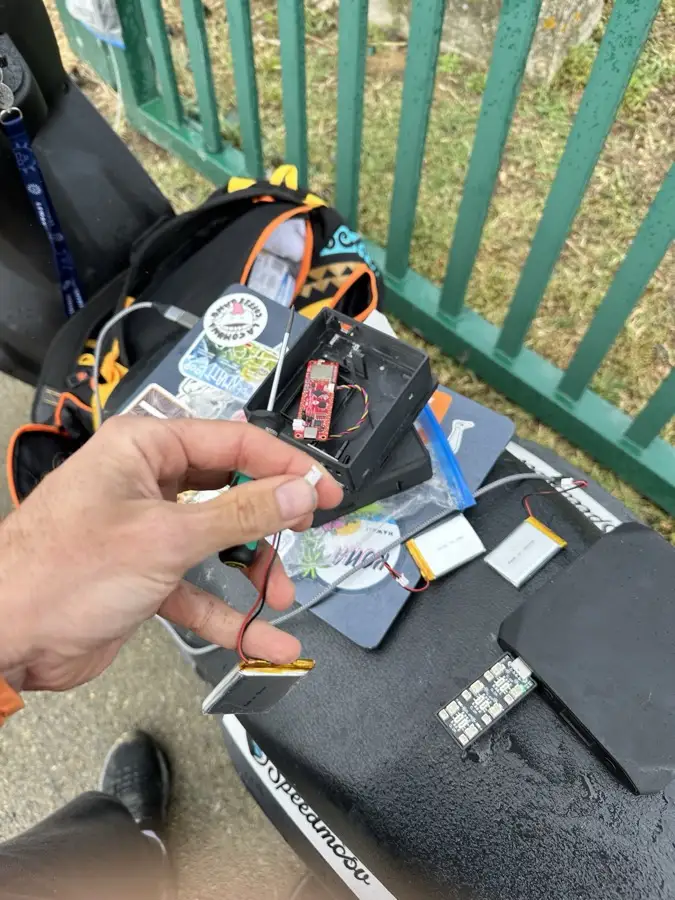
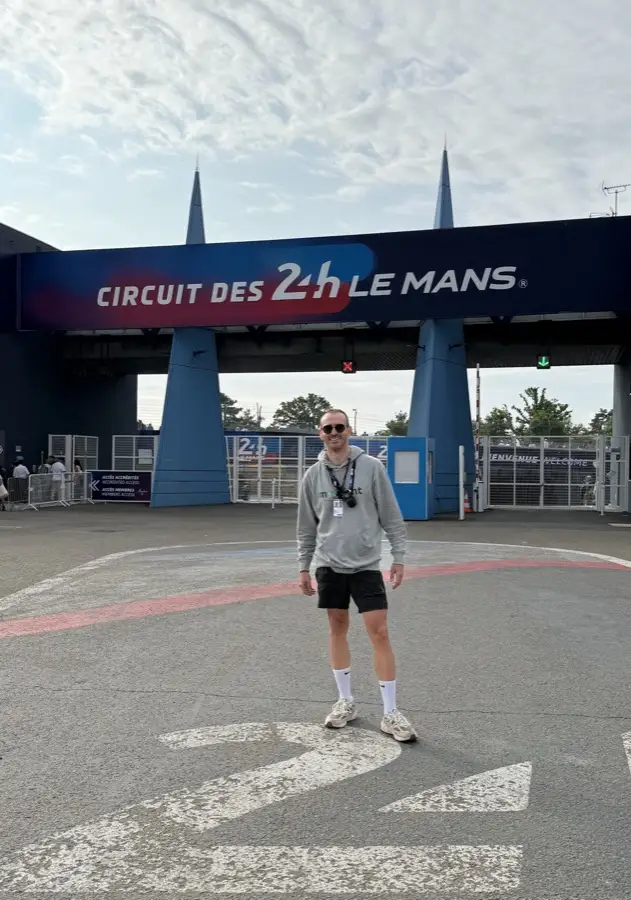
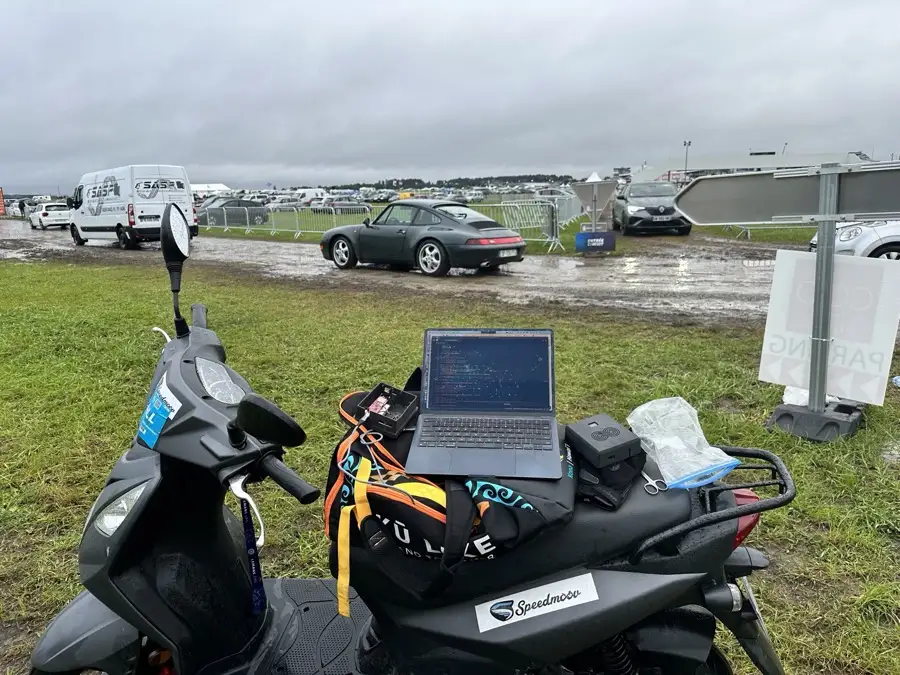
The moment Le Mans, June. 24 hours of cars, mud and heat.

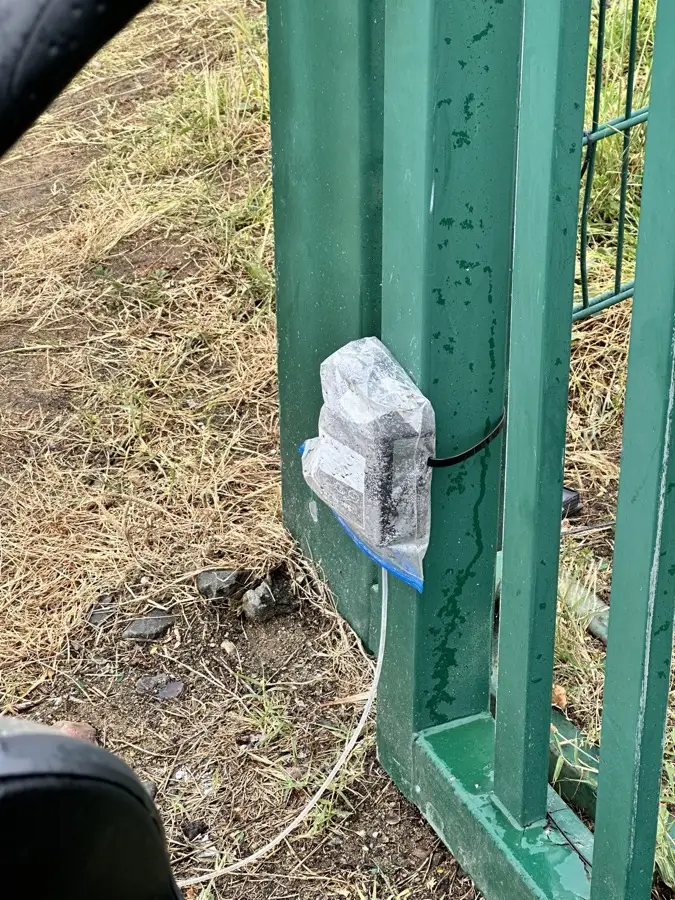
The 24 Hours of Le Mans, every car park, in rain, mud, heat and cold, day and night, for a full 24 hours. What breaks there is what we fix first.

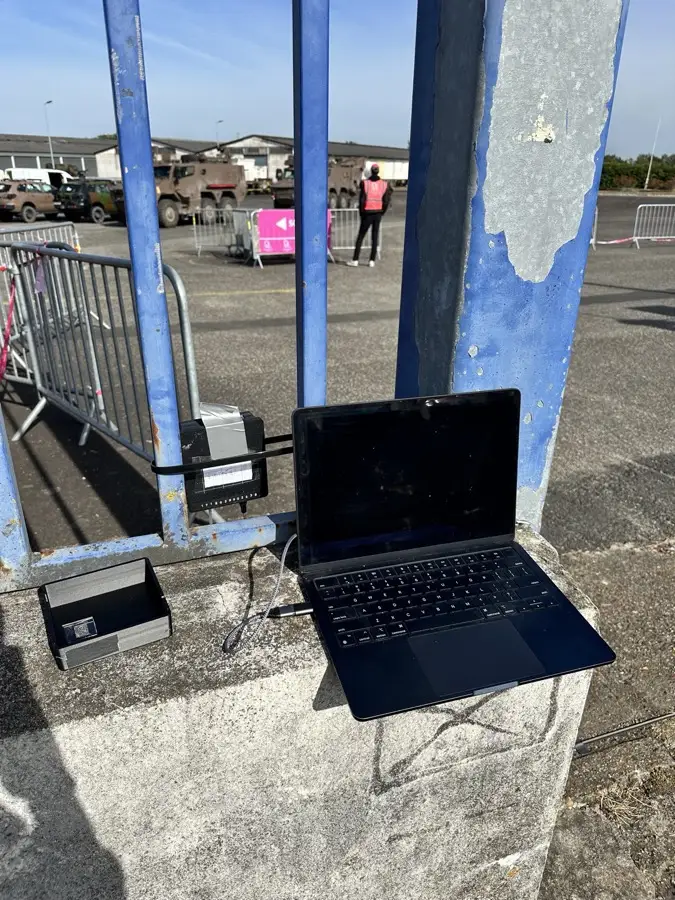
In practice The counters ran on the car parks of the 24 Hours of Le Mans in June 2026. The faults seen there, a sensor bus that froze until a power cycle and under-counts, are what the firmware’s self-recovery now targets.

No engineer, no technician

The moment The counter arrives on Thursday and the technician on Monday.

One unit, around a kilo, fits in one hand. Put it on the ground, fix it, lock it, connect the tubes. Five minutes and it’s counting. Anyone on your team with the phone app can do it, and nobody has to come on site to help.

In practice Setup is done from the Moovent phone app, iPhone or Android: sign in, find the counter over Bluetooth by its short ID, pair it during its pairing window, give it a name, add a Wi-Fi network if the site has one. On 4G it needs nothing else. The device is created in the dashboard first, from the QR code on its case.

Control it from anywhere

The moment The counter is at the wrong entrance, two kilometres from your desk.

Rename it, move it to another car park, set its direction, pause it. From the web app in the control room; the phone app sets it up and names it, standing next to it. A change reaches the device within seconds when it is online, and the dashboard tells you until it is confirmed.

In practice Name, car park, direction (in and out, entry only, exit only) and active state are set in the dashboard. The settings go to the device over an encrypted link; the device acknowledges, and a reconciler re-sends anything that drifted. A device that is offline gets them when it reconnects.

It sorts itself out

The moment Something went quiet at 2 am.

When something goes wrong it doesn’t wait for you to notice. It runs its own checks and fixes what it can. If it can’t, it says so on your dashboard, with what it is. Most of the time you’ll never hear about the problem you didn’t have.

In practice A watchdog restarts it if it hangs for 4 minutes. If the network link stalls it resubscribes after 2 minutes, reconnects after 4 and resets the modem at the third attempt. The sensor bus is restarted with a growing back-off. It reports a tube that is loose, weak or waterlogged, and a sensor out of range. The dashboard flags each of these.

Seven days on one charge

The moment Five car parks, no sockets, a four-day event.

Charge it once and forget it until the event is over. You see the battery live on your dashboard, and it is flagged before it needs anything.

In practice The battery level comes with every batch and every 30-second heartbeat. Under 20 % the dashboard flags the device, a line enters the feed and the wall says to swap batteries at the next shift change.

4G, Wi-Fi, Bluetooth, SIM included

The moment No signal in that corner of the field.

Whatever the site has, your counts arrive every few minutes. No signal in that corner of the field? It keeps counting and sends what it holds the moment it’s back. The SIM and the data are in the price. We never charge for data.

In practice 4G on the built-in SIM, Wi-Fi when the site has it, Bluetooth for setup. Counts are sent in batches, every 5 minutes by default, sooner when 120 are waiting. Offline, the device keeps the last 128 vehicles in memory; a longer outage loses the older ones.

In and out, or one direction

The moment You need to know how many are still inside, not how many came.

It counts both ways by default, so you get occupancy and not just arrivals. Lock it to entry only or exit only when that’s what you need.

In practice The order in which the two tubes are pressed gives the direction. Entry only or exit only is a filter applied as the counts arrive, set from the dashboard; the device goes on counting both ways, so you can switch back without losing anything.

Built to be dropped in mud

The moment Sunday morning. The counter is under ten centimetres of mud.

IP67 against dust and water. It lives outdoors for the whole event.

In practice A gasketed case closed with four screws, the tube ports on the outside. It stays on the ground for the whole event.

A counter that costs what it should

The moment One counter for the main entrance, because the second one costs too much.

A device like this usually starts around two thousand euros. There’s no reason for that. The Pulse is a fraction of it, which is the difference between counting your main entrance and counting every car park you have.

In practice On the price list the Pulse comes with the Enterprise plan, in early access, with our team on site. Small and Medium plans get it next.

In beta now

The moment You want to try it this season.

We’re working with a small number of partner events this season, on very good terms. Get in touch and we’ll talk.

In practice The beta runs on Enterprise events with our team on site. Preorder opens the request on this page; we come back to you with dates and terms.

Technology

How Moovent fits next to the systems you already run.

It fits what you already run

The moment You already have barriers, an access system and a spreadsheet.

Your Moovent badges open Skidata barriers, and every passage comes back. Registrants come in by API; your staff roster by secure file transfer. You don’t replace the systems that already work.

In practice Moovent pushes each badge’s permissions to Skidata and withdraws them when a badge is revoked; the barrier decides on what it was given. Passages are read back from Skidata and logged against the badge. The API creates and lists registrants and returns statistics, with keys scoped read or admin. On the Enterprise plan an SFTP folder refreshes the staff roster from your HR system.

Built for the data you’re responsible for

The moment A year later, a former agent asks what you still hold about them.

Photos delete themselves thirty days after the event. Records anonymise twelve months after it. Delete a person and their badge stops at the gate, their file is anonymised and their passes are destroyed. The clock runs by itself, as long as your event has an end date.

In practice Badge and report photos: event end plus 30 days. Identity documents: on approval. Records: event end plus 12 months, adjustable from 1 to 120. A deletion request is run by an operator with a typed confirmation: gate permissions withdrawn first, then badges, wallet passes and the file. Scan logs and the 30-day activity log are kept as described on the Security page.

Events deserve better than chaos

One platform for the people at their stations, the Pulse devices on the road and the room that decides. Started by people who waited four hours to get into a Grand Prix.

Our vision

Events where nothing gets in the way of the event.

Our mission

Give event organisers one system for everything outside the show: the people on the ground, accreditation, parking, and traffic.

We came for the race. We remember the traffic.

French Grand Prix, Circuit Paul Ricard, 2018. Four hours in traffic just to get into the circuit. By the time we got in, the day was already ruined. We came for the race. We remember the traffic.

A few months later, we went looking for the tools organisers use to handle traffic and parking. There were systems for selling tickets, systems for badges, systems for barriers. Nothing that treated the whole thing as one problem.

In January 2024 we started Moovent with one goal: count the cars in each car park and tell the organiser before it fills up. Then organisers started asking. Where are my agents? Who’s accredited? What happened at 4pm yesterday? Each answer became another part of the platform.

We wanted to launch something complete rather than a test version, so we took our time. Moovent launched in October 2026.

We still answer fast, we still listen, and we’re still building. Because nobody should spend four hours getting into an event they paid to see.

When Moovent was still an idea: the first tests of an early prototype on the ground, Le Mans, 2024.

1,000,000+visitors welcomed
8,700+staff coordinated
50,000+parking spaces managed

It started with a problem we had ourselves

2018
June 2018

French Grand Prix at Paul Ricard. Four hours to get into the circuit.

2024
January 2024

Moovent is founded, to count cars on car parks and tell organisers when they fill up.

June 2024

First version of the Pulse device.

Autumn 2024

First version of the platform, with the live map and the live dashboard.

2025
January 2025

First Pulse devices on the road at French events.

September 2025

Pulse device V2 goes into beta.

October 2025

One million visitors counted.

2026
August 2026

Work starts on the accreditation and badge system.

October 2026

Official launch.

2027
Spring 2027

The Pulse is released.

Our core values

Impact over hype

A feature earns its place only if it saves a real decision on event day. If it doesn’t, we cut it.

The ground truth over the demo

We build for the person at the gate in the rain, not for the screen in a meeting room. When they disagree with us, they’re right.

Every event teaches us something

We’re there when events run, we see what breaks, and it’s fixed before the next one.

Let's talk about your event day

Tell us what you run, when it happens and what you want to fix. We answer within one working day.

  • Get a quote for your event: plan, extra events, credentials and Pulse devices priced on your numbers.
  • See a demo on your own site plan, with your car parks and stations on the map.
  • Check that your badge readers and gates work with Moovent before you commit.
  • Run a beta Pulse device at your next event, supervised by our team.

Privacy policy

Last updated 16 October 2026

Version française à venir. La version anglaise fait foi.

Terms & conditions

Last updated 20 August 2025

Version française à venir. La version anglaise fait foi.

404

We can't find the page you're looking for.

Security you can explain to your client.

No jargon here. For each protection, what it stops, how it works and the rule it follows. Written for the person who has to answer the question, not for the IT department.

In their phone wallet

Data processing agreement and list of sub-processors available on request.

Found a vulnerability? security@moovent.io